Debug
Enable verbose logging or detailed memory usage to help diagnose issues
Verbose Logs
Enabling debug logs will show more verbose logs from Zipline. This is mostly useful when debugging an issue with Zipline. This mode is helpful when reporting issues, as it provides more context about what is happening.
Enabling
To enable debug mode, set the DEBUG environment variable to zipline.
Turn this off when you're done troubleshooting. It logs a lot and there's no reason to leave it running on an instance people actually use.
DEBUG=ziplineDisabling
Simply remove the DEBUG environment variable.
Example Output
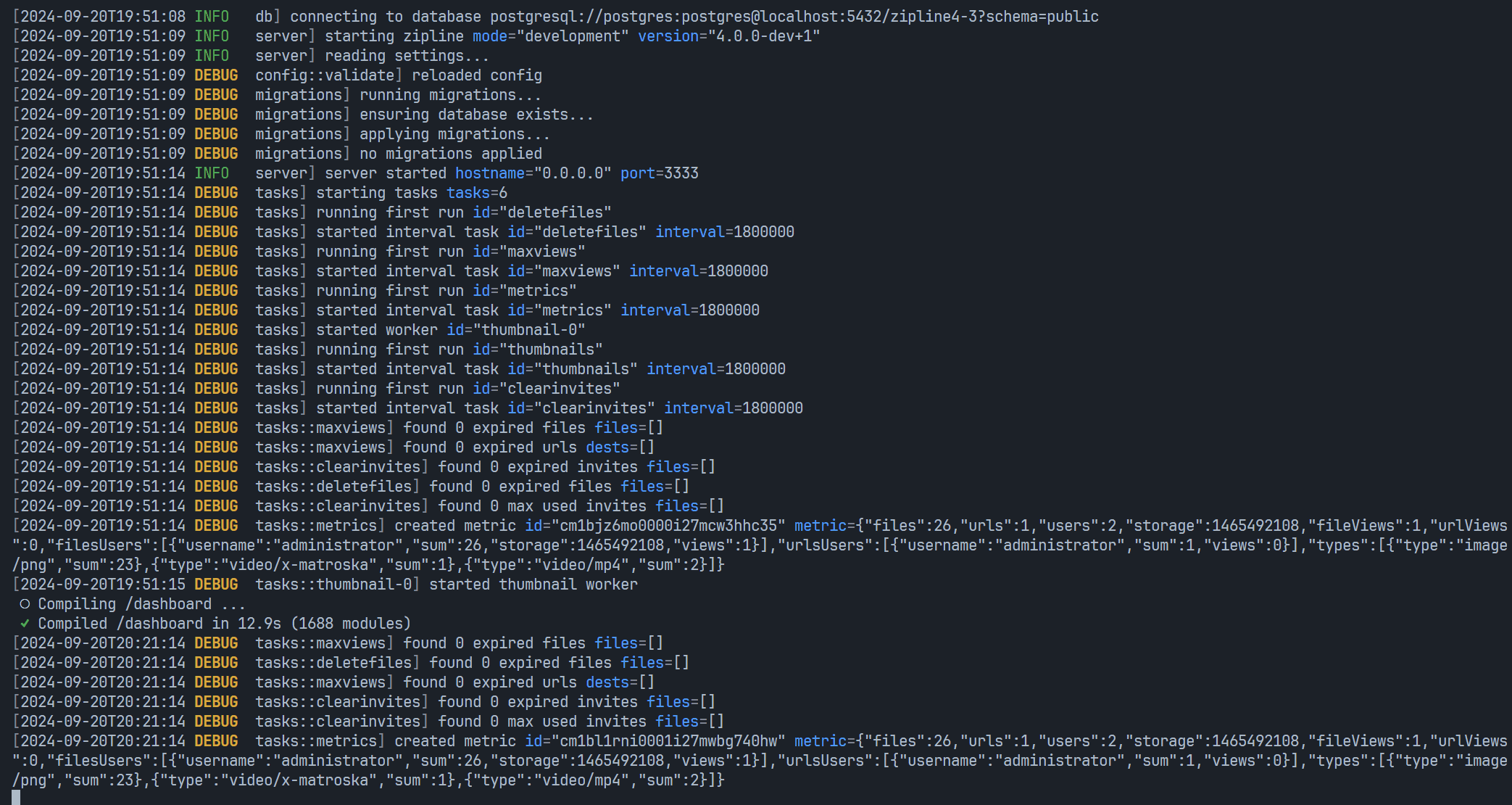
Log formatting
Log colors are enabled automatically when writing to a terminal. Set ZIPLINE_NO_COLOR to any value to disable color output (useful in Docker or when piping logs to a file):
ZIPLINE_NO_COLOR=trueTo change the timestamp format in log lines, set ZIPLINE_OVERRIDE_LOG_DATE_FORMAT to a date format string:
ZIPLINE_OVERRIDE_LOG_DATE_FORMAT="YYYY-MM-DD HH:mm:ss"By default, log output from db and config loggers is suppressed in worker threads. Set ZIPLINE_OVERRIDE_DISABLED_WORKER_LOG to any value to enable it:
ZIPLINE_OVERRIDE_DISABLED_WORKER_LOG=trueDatabase logging
To log database queries and their parameters, enable debug logging and set ZIPLINE_DB_LOG to true:
ZIPLINE_DB_LOG=true
DEBUG=zipline
Remove ZIPLINE_DB_LOG when finished. Query parameters can contain sensitive data, so review these logs before sharing them.
Detailed Memory Usage
Enabling detailed memory usage logging will log the memory usage of Zipline at 1 second intervals. This is useful for diagnosing memory leaks or high memory usage issues.
Enabling
To enable detailed memory usage, set the ZIPLINE_MONITOR_MEMORY environment variable to true.
Disabling
To disable detailed memory usage, set the ZIPLINE_MONITOR_MEMORY environment variable to false or remove it entirely.
Example Output
The output of the detailed memory usage will output to a file called .memory.log in the current working directory.
Each line in the file has values seperated by commas, and each line represents an entry logged at 1 second intervals.
1762909354,651100160,100545640,296501248,13717303,1183518,443816,2374767
1762909355,651132928,100567832,296501248,13718816,1184991,444319,2375661
1762909356,651182080,100593088,296501248,13720273,1186448,444625,2376558
1762909357,651182080,100609952,296501248,13721730,1187905,444929,2377380
1762909358,651280384,100636944,296501248,13723187,1189362,445310,2378343
To parse the file, each value is in the following order:
- ts (timestamp in UNIX epoch)
- mem_rss (resident set size)
- mem_heap_used (heap used)
- mem_heap_total (total heap)
- mem_external (external memory)
- mem_array_buffers (array buffer memory)
- cpu_system (system CPU usage)
- cpu_user (user CPU usage)
Parsing Examples
#include <fstream>
#include <iostream>
#include <sstream>
#include <string>
#include <vector>

using namespace std;

struct MemoryCpuLog {
  long long ts, mem_rss, mem_heap_used, mem_heap_total, mem_external,
      mem_array_buffers, cpu_system, cpu_user;
};

bool parseLine(const string &line, MemoryCpuLog &entry) {
  stringstream ss(line);
  string part;

  vector<long long *> fields = {&entry.ts,
                                &entry.mem_rss,
                                &entry.mem_heap_used,
                                &entry.mem_heap_total,
                                &entry.mem_external,
                                &entry.mem_array_buffers,
                                &entry.cpu_system,
                                &entry.cpu_user};

  for (auto *field : fields) {
    if (!getline(ss, part, ','))
      return false;

    *field = stoll(part);
  }

  return true;
}

int main() {
  vector<MemoryCpuLog> entries = {};

  ifstream file(".memory.log");
  if (!file.is_open()) {
    cerr << "failed" << endl;
    return 1;
  }

  string line;

  while (getline(file, line)) {
    MemoryCpuLog entry;

    if (parseLine(line, entry)) {
      entries.push_back(entry);
    } else {
      cerr << "failed" << endl;
      return 1;
    }
  }

  // do something with the entries

  return 0;
}import { readFile } from 'fs/promises';
interface MemoryCpuLog {
ts: number;
mem_rss: number;
mem_heap_used: number;
mem_heap_total: number;
mem_external: number;
mem_array_buffers: number;
cpu_user: number;
cpu_system: number;
}
function readLine(line: string): MemoryCpuLog {
const [ts, mem_rss, mem_heap_used, mem_heap_total, mem_external, mem_array_buffers, cpu_user, cpu_system] =
line
.trim()
.split(',')
.map((value) => Number(value));
return {
ts,
mem_rss,
mem_heap_used,
mem_heap_total,
mem_external,
mem_array_buffers,
cpu_user,
cpu_system,
};
}
async function readLog(file: string): Promise<MemoryCpuLog[]> {
const str = await readFile(file, 'utf-8');
const lines = str.trim().split('\n');
return lines.map(readLine);
}
const entries = await readLog('.memory.log');import os
LOG_FILE = ".memory.log"
def read_log():
if not os.path.exists(LOG_FILE):
return []
entries = []
with open(LOG_FILE, "r") as f:
for line in f:
line = line.strip()
if not line or not line[0].isdigit():
continue
try:
parts = line.split(",")
if len(parts) != 8:
continue
entry = {
"ts": int(parts[0]),
"mem_rss": int(parts[1]),
"mem_heap_used": int(parts[2]),
"mem_heap_total": int(parts[3]),
"mem_external": int(parts[4]),
"mem_array_buffers": int(parts[5]),
"cpu_system": int(parts[6]),
"cpu_user": int(parts[7]),
}
entries.append(entry)
except Exception:
continue
return entriesOpenAPI schema
Set ZIPLINE_OUTPUT_OPENAPI to true to write the OpenAPI schema to openapi.json in the current working directory and exit. The server starts normally, registers all routes, then writes the file and shuts down.
ZIPLINE_OUTPUT_OPENAPI=trueGit commit SHA
ZIPLINE_GIT_SHA sets the commit hash shown alongside the version on the admin dashboard. Docker images set this automatically via a build argument. If unset, Zipline tries to read it from the local git repository.
ZIPLINE_GIT_SHA=abc1234